Casa Mia

Unifying the Montessori preschool experience for teachers, parents, and administration.

Role Product Designer
& Full-stack Dev
Timeline 2 Weeks
Platform Web Application
Responsive PWA
Stack Next.js 14, Tailwind
Supabase, TypeScript
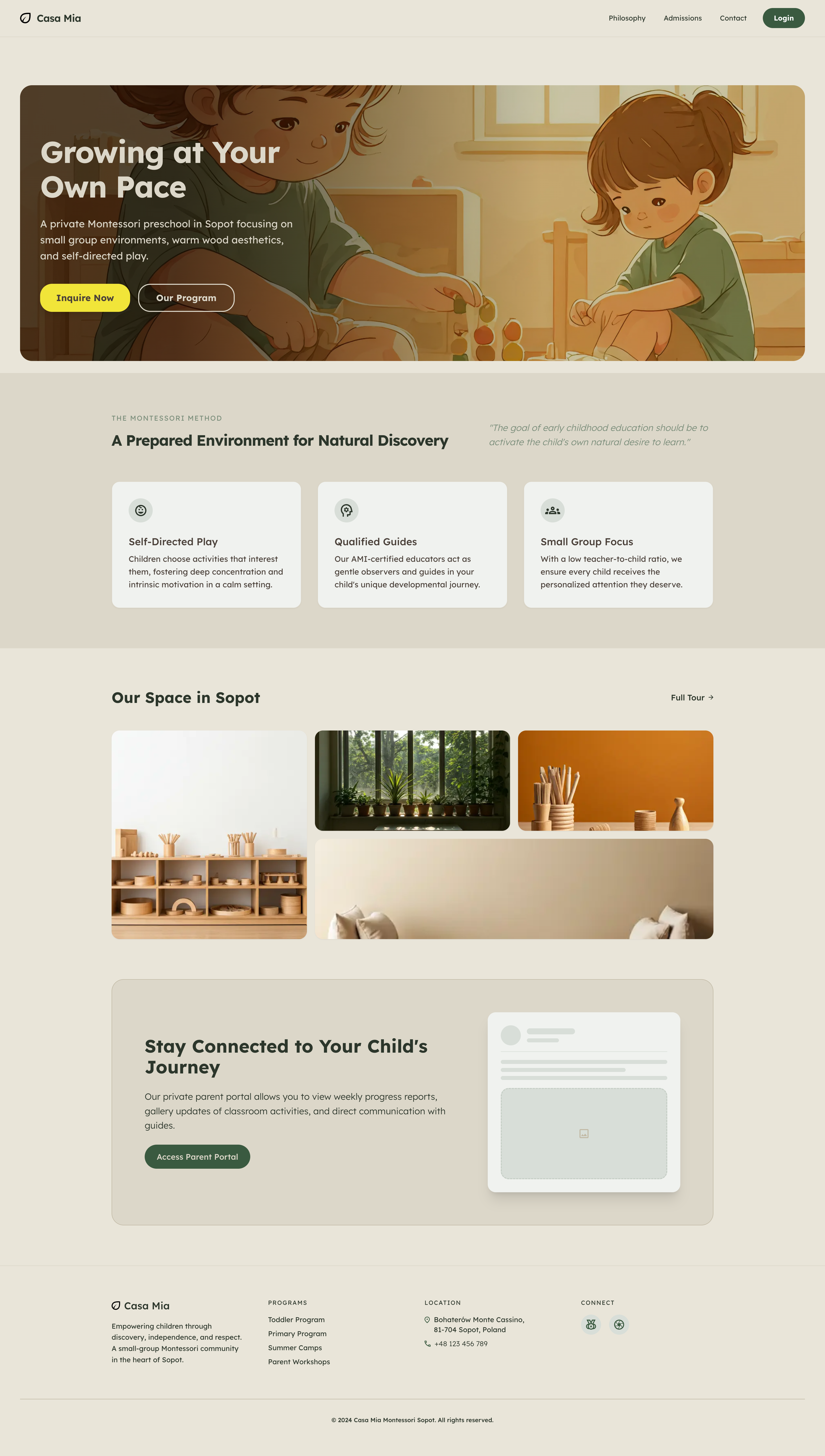
Casa Mia Homepage

The Challenge

Before

  • Communication with parents was fragmented across physical notes, WhatsApp, and generic emails.
  • Class attendance and schedule tracking required manual spreadsheet entry.
  • Sharing the daily magic of the classroom via photos was insecure and hard to organize by student.

The Solution

  • A unified platform serving as both the public marketing face and a secure operational portal.
  • Role-based access ensuring Teachers, Admins, and Parents have tailored, secure workspaces.
  • Integrated features: Real-time messaging, attendance tracking, and private photo galleries.

Design & Architecture

Bridging the gap between an empathic, accessible UI and a robust, scalable backend infrastructure.

Systematic Tokens & Dark Mode

The visual identity was built from the ground up in Figma. Clean typography with the Lexend font family ensures high legibility for educational content.

Recognizing that parents often browse at night, the platform fully supports a meticulously crafted dark theme. Custom Figma variables map directly to a Tailwind CSS config, enabling seamless surface hierarchies and instant switching between light and dark modes with perfect contrast.

Figma Design Tokens Light and Dark Mode
Public Site SEO / SSR
Portals Admin · Teacher · Parent
Middleware
Next.js 14 App Router
SSR/ISR TanStack Sync
Auth RLS Shield
DB Postgres
Storage CDN Gallery
Realtime Chat Sockets

Full-Stack Security & Speed

Choosing Next.js 14 App Router allowed for Server-Side Rendered (SSR) marketing pages for SEO, while keeping the internal portals highly interactive using TanStack Query.

Data privacy was paramount. By leveraging Supabase Row Level Security (RLS) at the PostgreSQL database level, we guaranteed that parents can strictly access only data, photos, and chats related to their specific children.

Three Roles, One Platform

Access is divided cleanly between three distinct roles — each with a tailored experience and strict data boundaries enforced at the database level.

  • Admin — full site control, user management, CMS
  • Teacher — children, gallery, calendar, messaging
  • Parent — read-only access to their own child's data
Core Feature
Admin
Teacher
Parent
Invite Users
Edit Site CMS
Student Profiles
Class Calendar
Attendance Log
Gallery & Tags
Realtime Chat
Module 01

Public Marketing Platform

A welcoming, aesthetic interface designed to convert parents into applicants. Content across all pages is driven by a custom headless CMS backend, allowing admins to adjust copy without code pushes.

Public Homepage

The Front Door

The homepage introduces the Montessori method with warm visuals, spacious layouts, and dynamic CTAs. The layout is mobile-first, ensuring parents have a flawless experience navigating the methodology.

Dynamic Program Curriculums

Detailed breakdowns for Toddler and Primary programs. Driven by the internal `site_content` custom schema, administrators instantly update descriptions, age ranges, and daily schedules directly from the portal.

Program Specifics Page
Module 02

A Tailored Teacher Experience

A comprehensive dashboard eliminating messy paperwork. Manage daily routines, log child attendance, and generate monthly reports efficiently.

Daily Overview

A bird's-eye view of attendance, routine, and upcoming events.

Teacher Portal Dashboard

Dynamic Calendar

Powered by RRule logic, recurring events and the Montessori daily structure are mapped out intuitively.

Calendar UI

Automated Reports

Generates comprehensive attendance reports per child, saving teachers hours of manual documentation.

Reports UI

Internal Website CMS

Empowers teachers and admins to manipulate public landing page content directly from their secure portal.

Website CMS

Account Settings

Granular control over profile data, password security, and system preferences.

Settings UI
Module 03

Parent Peace of Mind

Giving parents a secure window into their child's day via private galleries and direct channels.

Tag-Based Photo Galleries

Instead of insecure group chats, teachers upload to Supabase Storage and simply tag parents inside the web app. Temporary signed URLs ensure images cannot be accessed outside the portal.

Photo Gallery UI

Real-time Encrypted Messaging

Built on top of Supabase Realtime, individual student channels allow parents and teachers to sync effortlessly. Active push polling and read cursors keep everyone in the loop without external apps.

Real-time messaging

Engineering the MVP: Reflections

Building Casa Mia solo required bridging the gap between empathic design and solid technical architecture. Translating high-fidelity Figma files to a functional Next.js 14 application was rewarding, but not without hurdles:

Taming RRule Recursion

Managing complex recurring school events cleanly in the database required adopting the iCalendar `RRule` standard. Building the visual calendar to interpret these rules on the fly pushed my understanding of client-side date parsing.

Role-Based Security

Next.js layout middleware handles high-level route protection, but I learned that true security must exist at the database level. Writing complex PostgreSQL Row Level Security (RLS) policies ensured data integrity regardless of the endpoint.

Designed in Figma Built with Next.js & Supabase